

Download TimeSnapper – Free Time Tracking Software for Windows
Effortless Time Tracking with TimeSnapper: A Game-Changer for Productivity
TimeSnapper is a powerful yet lightweight time tracking tool designed specifically for Windows users who want to monitor how they spend their time without the hassle of manual entries. Unlike traditional timekeeping methods that rely on guesswork or spreadsheets, TimeSnapper automatically captures every moment you spend on your computer, creating a detailed log of your activities. Whether you're a freelancer managing multiple client projects, a remote employee tracking billable hours, or a student organizing study sessions, TimeSnapper ensures accuracy and transparency in your time management.
One of the standout features of this software is its automatic screen capture functionality. TimeSnapper takes periodic screenshots of your desktop, tagging each image with the time and application in use. This visual history allows you to review exactly what you were doing at any given moment, making it incredibly easy to generate accurate timesheets. The data is stored locally, ensuring privacy and security—no cloud uploads unless you choose to sync manually. This makes it ideal for users concerned about data protection, especially in sensitive work environments.
With over 13,000 downloads since 2006 and a strong user base in India, Italy, and Vietnam, TimeSnapper has proven its reliability across diverse work cultures and time zones. Its minimal system footprint means it runs smoothly even on older machines, supporting Windows 98 and later versions. Despite being updated in 2006, the core functionality remains effective and stable, which speaks volumes about its design efficiency. For anyone seeking a no-frills, dependable time tracking solution, TimeSnapper delivers exactly what it promises—simplicity, accuracy, and peace of mind.
Key Features That Make TimeSnapper a Must-Have Tool
TimeSnapper stands out in the crowded productivity software market due to its unique blend of automation, simplicity, and privacy. The software operates in the background, requiring zero manual input—no need to start or stop timers, no complex settings. Once installed, it begins recording your activity instantly, capturing screenshots at regular intervals based on your preferences.
One of the most valuable features is the automatic activity logging. TimeSnapper identifies which applications are open and what windows are active, tagging each screenshot accordingly. This allows you to see not just the time spent, but also the context—such as whether you were working in Excel, browsing the web, or using a design tool. You can then categorize these sessions into projects, clients, or tasks with just a few clicks.
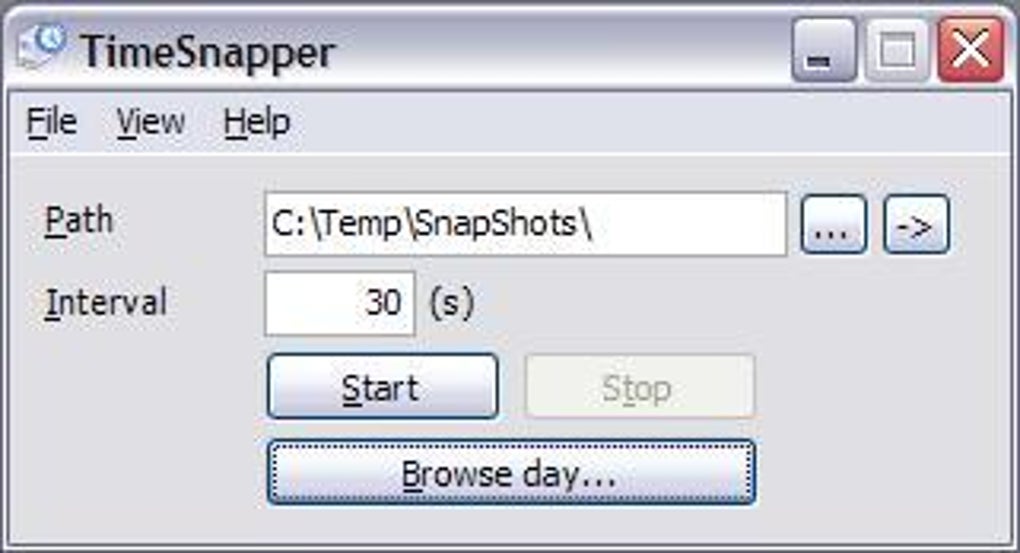
Another major advantage is offline data storage. All your time logs are saved locally on your device, giving you full control over your data. This is particularly beneficial for professionals handling confidential information or those working in regions with limited internet access. Additionally, TimeSnapper supports customizable capture intervals, so you can choose how often screenshots are taken—ranging from every 15 seconds to every 10 minutes—balancing detail with performance.
For users who want to export their data, TimeSnapper offers CSV and PDF export options, making it simple to share timesheets with clients or managers. The interface is clean and intuitive, requiring minimal learning curve. Whether you're a tech-savvy user or someone new to time tracking, you'll find TimeSnapper easy to navigate and highly effective.
- Automatic screen capture with time and app tagging
- Local data storage for maximum privacy and security
- Customizable capture intervals (15 sec to 10 min)
- Export logs to CSV and PDF formats
- Supports Windows 98 and later versions
- No internet required – fully offline operation
How to Install and Use TimeSnapper on Windows
Installing TimeSnapper is a straightforward process that takes just a few minutes. First, visit the official download page and click on the “Download” button. The installer file is small in size, ensuring fast download times even on slower connections. Once downloaded, run the executable file and follow the on-screen instructions. The setup wizard is simple and user-friendly, guiding you through each step without overwhelming beginners.
After installation, TimeSnapper runs silently in the background. You’ll see a small icon in your system tray (notification area), indicating that the software is active. Right-clicking the icon opens the main menu, where you can access settings, view your activity log, and manage projects. To begin tracking, simply open your preferred applications—TimeSnapper will automatically detect and record them.
Customizing your experience is easy. Go to Settings > Capture to adjust the frequency of screenshots, set up project templates, or define which applications should be ignored (e.g., games or personal apps). You can also create custom tags to label different types of work, such as “Client A – Design,” “Meeting,” or “Research.”
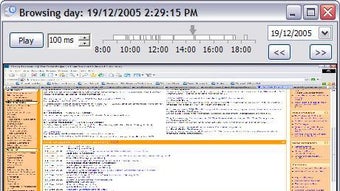
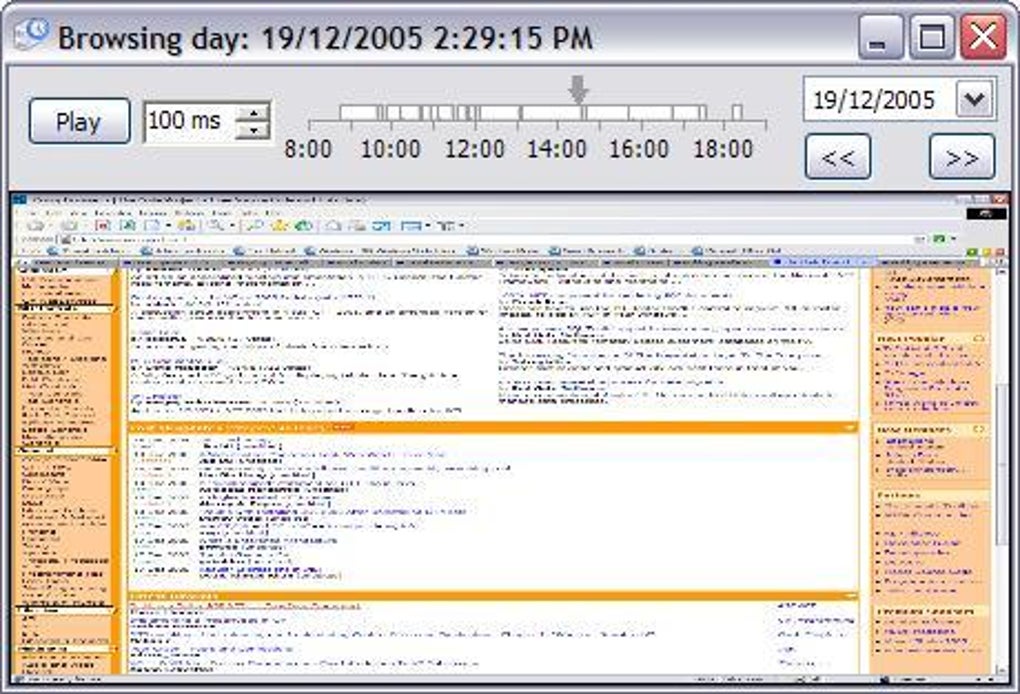
When it’s time to generate a report, navigate to Reports > Generate Timesheet. Select the date range, filter by project or application, and choose your export format. The generated file can be shared via email or uploaded to accounting software. For users who prefer a visual timeline, TimeSnapper’s built-in timeline view lets you scroll through your day, click on any moment, and see exactly what you were doing.
Despite being last updated in 2006, TimeSnapper continues to function reliably on modern Windows systems (including Windows 10 and 11) thanks to its lightweight architecture and compatibility with older OS versions. No additional dependencies or runtime libraries are required, making it a truly portable solution.
Compatibility and System Requirements for TimeSnapper
TimeSnapper is exclusively designed for Windows operating systems, supporting Windows 98 and all subsequent versions up to Windows 11. This broad compatibility makes it accessible to a wide range of users, including those still using legacy systems in small businesses or educational institutions. The software does not require administrator privileges to install, which is a significant advantage in restricted environments.
In terms of hardware, TimeSnapper is extremely lightweight. It uses minimal CPU and RAM resources, so it won’t slow down your machine—even when running on older hardware. The installation size is under 10 MB, which is a fraction of the average productivity tool. This makes it ideal for users with limited storage space or those who prefer minimal software bloat.
While TimeSnapper is currently only available for Windows, its functionality rivals that of modern cross-platform tools. For users on Mac, iOS, or Android, similar alternatives exist—but none offer the same combination of automatic visual logging and offline security. If you're committed to the Windows ecosystem and need a no-fuss time tracker, TimeSnapper remains a top choice.
It’s worth noting that the software is available in English only, which may limit accessibility for non-English speakers. However, the interface is simple enough that language barriers are minimal. For international users, the fact that TimeSnapper is popular in India, Italy, and Vietnam suggests strong community support and usability across cultures.
- Windows 98, ME, 2000, XP, Vista, 7, 8, 10, 11
- No admin rights required for installation
- Under 10 MB installation size
- Runs on low-end hardware
- No internet connection needed
Pros and Cons: Is TimeSnapper Right for You?
Pros
- Completely free to download and use
- Lightweight and fast, with minimal system impact
- Automatic, hands-free time tracking with visual proof
- Local data storage ensures privacy and security
- Simple, intuitive interface with no learning curve
- Supports older Windows systems, including Windows 98
Cons
- Only available for Windows (no Mac, iOS, or Android version)
- Last update was in 2006—no recent feature enhancements
- English-only interface (limited language support)
- No mobile app or cloud sync (offline-only)
- Basic export options; lacks advanced analytics
Frequently Asked Questions (FAQ)
Is TimeSnapper safe to download and use?
Yes, TimeSnapper is a secure and trusted software. It’s been downloaded over 13,000 times since 2006 and is known for its local data storage, meaning your activity logs never leave your device unless you choose to share them. The software does not collect personal data or send information to external servers.
Can I use TimeSnapper on Windows 10 or Windows 11?
Yes, TimeSnapper is fully compatible with Windows 10 and Windows 11. Despite being last updated in 2006, it continues to function reliably on modern systems due to its lightweight design and compatibility with older APIs.
Does TimeSnapper work without an internet connection?
Absolutely. TimeSnapper operates entirely offline. All data is stored locally on your computer, making it ideal for users in low-connectivity areas or those concerned about data privacy.
Can I export my time logs to Excel or Google Sheets?
Yes, TimeSnapper allows you to export your timesheets in CSV format, which can be opened in Excel, Google Sheets, or any spreadsheet application. This makes it easy to integrate with accounting or project management tools.
Is there a mobile version of TimeSnapper?
No, TimeSnapper is currently only available for Windows. There is no official app for Android, iOS, or Mac. However, its desktop-focused design makes it perfect for users who primarily work on Windows machines.
Final Verdict: TimeSnapper Still Holds Its Ground in 2024
Despite its age, TimeSnapper remains a compelling choice for anyone needing a reliable, free time tracking tool on Windows. Its automatic screen capture, local data storage, and minimal system impact make it a standout in the productivity space. While it lacks modern features like cloud sync and mobile access, its core functionality is rock-solid and privacy-focused.
If you’re a freelancer, remote worker, or team leader who values accuracy and simplicity, TimeSnapper is worth downloading today. It’s completely free, secure, and easy to set up. Don’t miss out on this hidden gem—get your copy now and make timesheets a true snap.
Download TimeSnapper now and take control of your time with confidence.
Home Productivity Software Clocks & Timers






